Free
$0
- 2 freezes every month
- 10 looks
- Freeze length and music controls
- Small FrameFlick watermark
● REC AI freeze frame edits for iPhone
Your clip plays. Then it stops, the frame turns into anime, a skull, a comic panel or a name card, and the clip carries on. About 30 seconds, start to finish.
How it works
Thirteen looks, each built and tested on real phone footage. No prompts to write.
FrameFlick finds the best moment to freeze on your phone, before anything is uploaded. Move it if you like.
Save it, post it. Want a different look? Try another on the same moment. No re-upload.
13 looks · 10 free
Same moment
Each look is tuned to keep your pose, your face and the framing exactly where they were, so the frozen frame lines up with the video on either side of it.

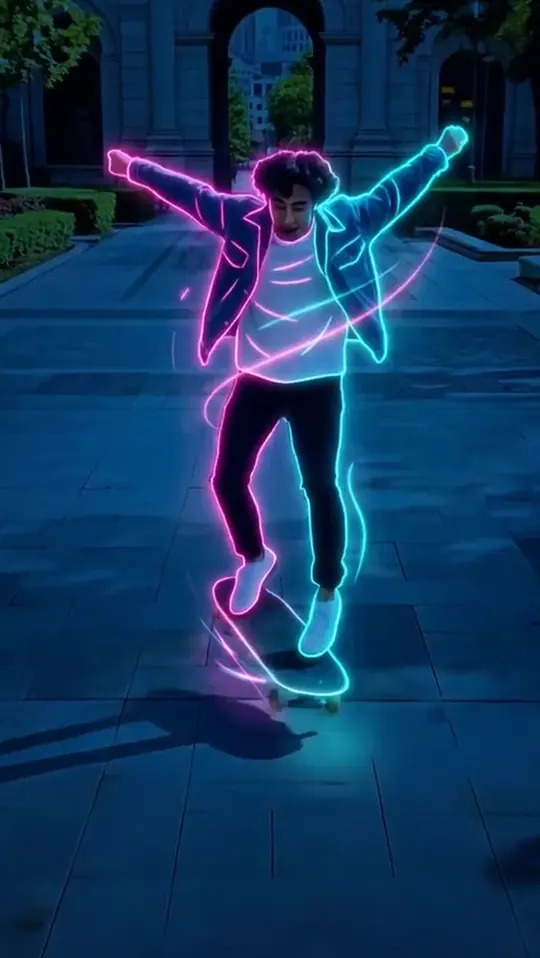 BeforeNeon Outline
Your edit
Pricing
$0
$5.99 / week
or $39.99 a year · 3-day free trial on weekly
Prices in US dollars; your App Store shows local prices. Subscriptions renew automatically until cancelled in iPhone Settings. *Fair use applies.
Questions
Your video plays, then stops on one moment. That frozen frame turns into something else (anime, a skull, a comic panel, a name card) and then the video carries on. It is one of the most-used formats on TikTok and Reels.
No. Every look is designed and tested so it holds up on real, messy phone footage. You pick the look and the clip; FrameFlick finds the moment.
Every account gets 2 free freezes a month, with a small FrameFlick watermark. Pro removes the watermark, unlocks every look and Alive freezes, and has no monthly cap.
The frames you freeze are sent to the AI models that make the look (Google and ByteDance models, run through fal.ai). Your clip is kept with the flick so you can try other looks without uploading again; delete the flick and it goes too. You can delete your whole account in the app. We do not use your videos to train AI.
About 30 seconds for a freeze. Alive freezes, where the look moves, take about a minute.
Not yet. FrameFlick is iPhone first.
Any time, in iPhone Settings › Apple ID › Subscriptions. New subscribers to the weekly plan get 3 days free first, and nothing is charged if you cancel before the trial ends.