Yep, That's Me
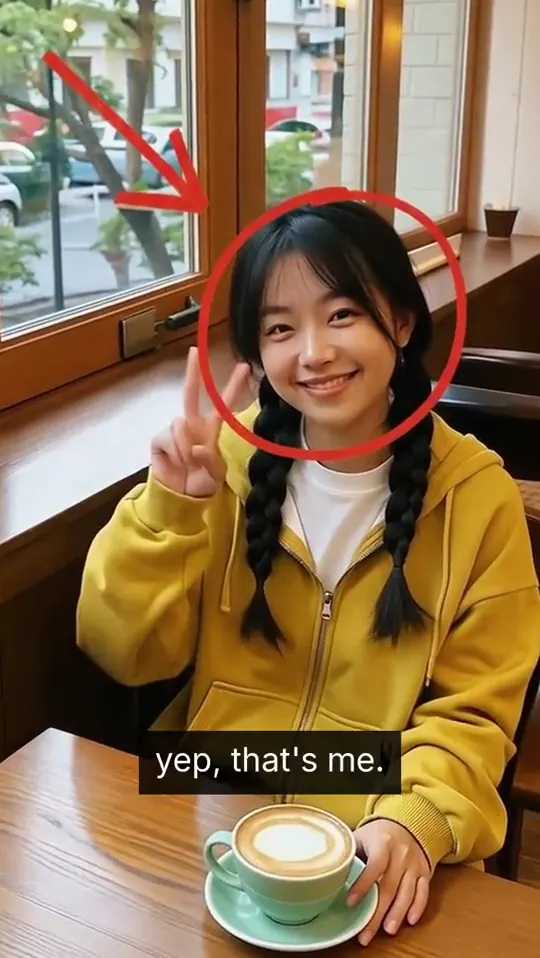
"Yep, that's me" freeze frame
Record scratch. Freeze frame. Yep, that's me. You're probably wondering how I got here. The oldest joke in film, and still the best way to open a story.
FrameFlick draws the arrow and circle on the right person and writes your caption. The video and sound pause for the freeze, then pick up where they left off.
- Freeze
- 2.6s (adjustable)
- Music
- Pauses on the freeze
- You type
- Caption
- Plan
- Free and Pro
00:00.00

 BeforeYep, That's Me
How to make it
Yep, That's Me
in three taps.
- Open FrameFlick and pick Yep, That's Me. It is in the looks feed on the Create tab.
- Choose a clip. FrameFlick suggests the best moment to freeze; scrub the timeline and tap Move here to change it, and type your caption.
- Tap Freeze it. About 30 seconds later it is ready to save or post. Not quite right? Try another look on the same moment without uploading again.
Great for